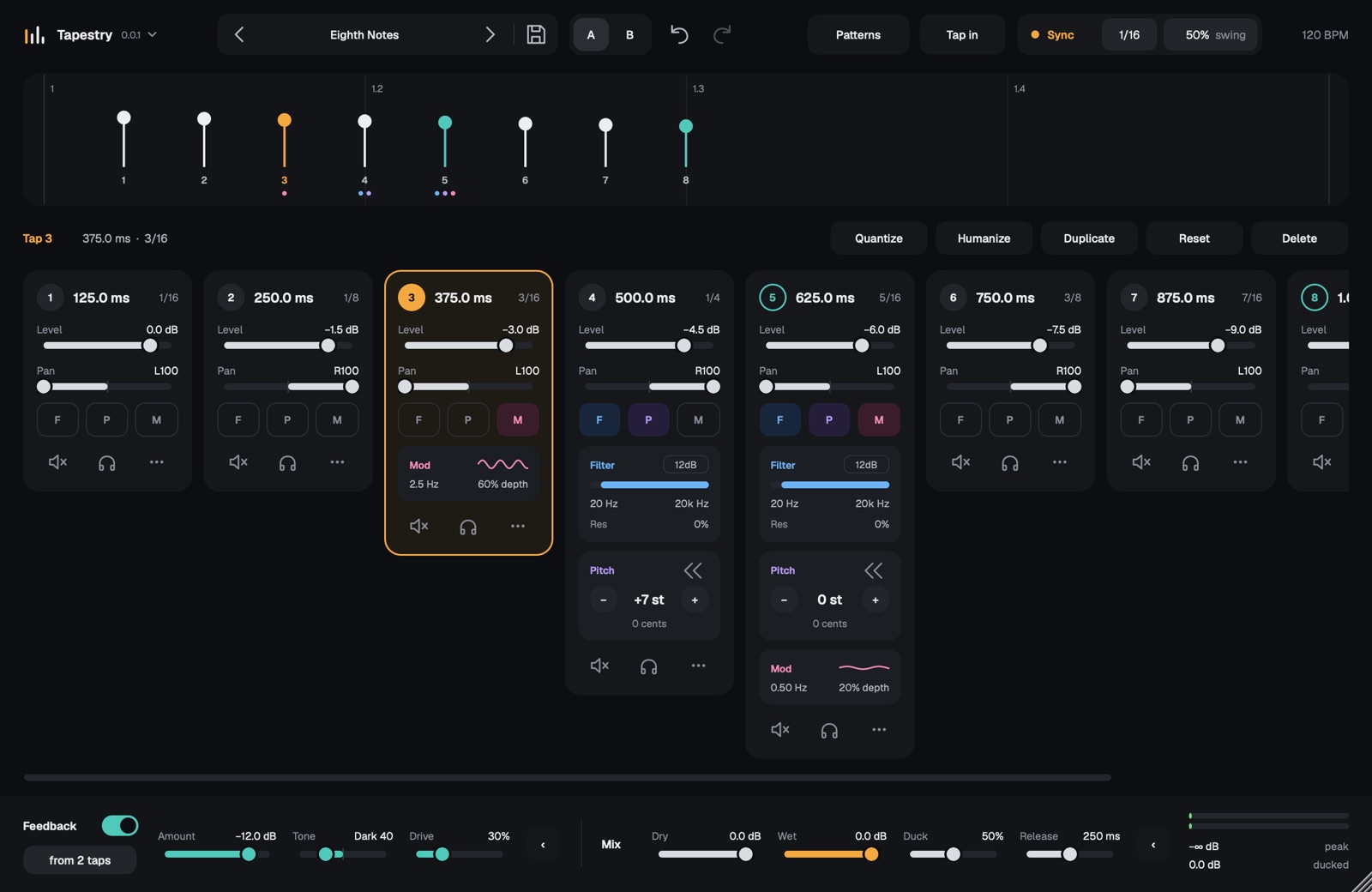
A free multitap delay plugin. Place up to 32 echoes anywhere in time and give each one its own level, pan, filter, pitch and modulation.
Download for macOS
VST3 and Audio Unit. macOS 11 or later, Apple Silicon and Intel.
Tapestry-macOS.pkgDownload for Windows
VST3. Windows 10 or later, 64-bit.
Tapestry-Windows-Setup.exeWhat it does
- Drag taps on the timeline, or type exact times. Taps snap to note values when synced to your project tempo, with swing.
- Switch on a filter, pitch shift or modulation per tap with its F, P and M buttons; the controls only appear when you use them.
- Feed any taps back into the delay, with tone and drive on the feedback path.
- Tap a rhythm in, start from a pattern, or quantize and humanize what you have.
- Ducking, A/B comparison, undo, presets, and light and dark appearance.
Installing
Open the installer and follow the steps. It puts the plugins in the standard system folders, so your DAW finds them after its next plugin scan.
The Windows installer isn't signed yet, so Windows may show a SmartScreen warning. Choose More info, then Run anyway.